
Why Biometric Access Control is Essential for Your Business
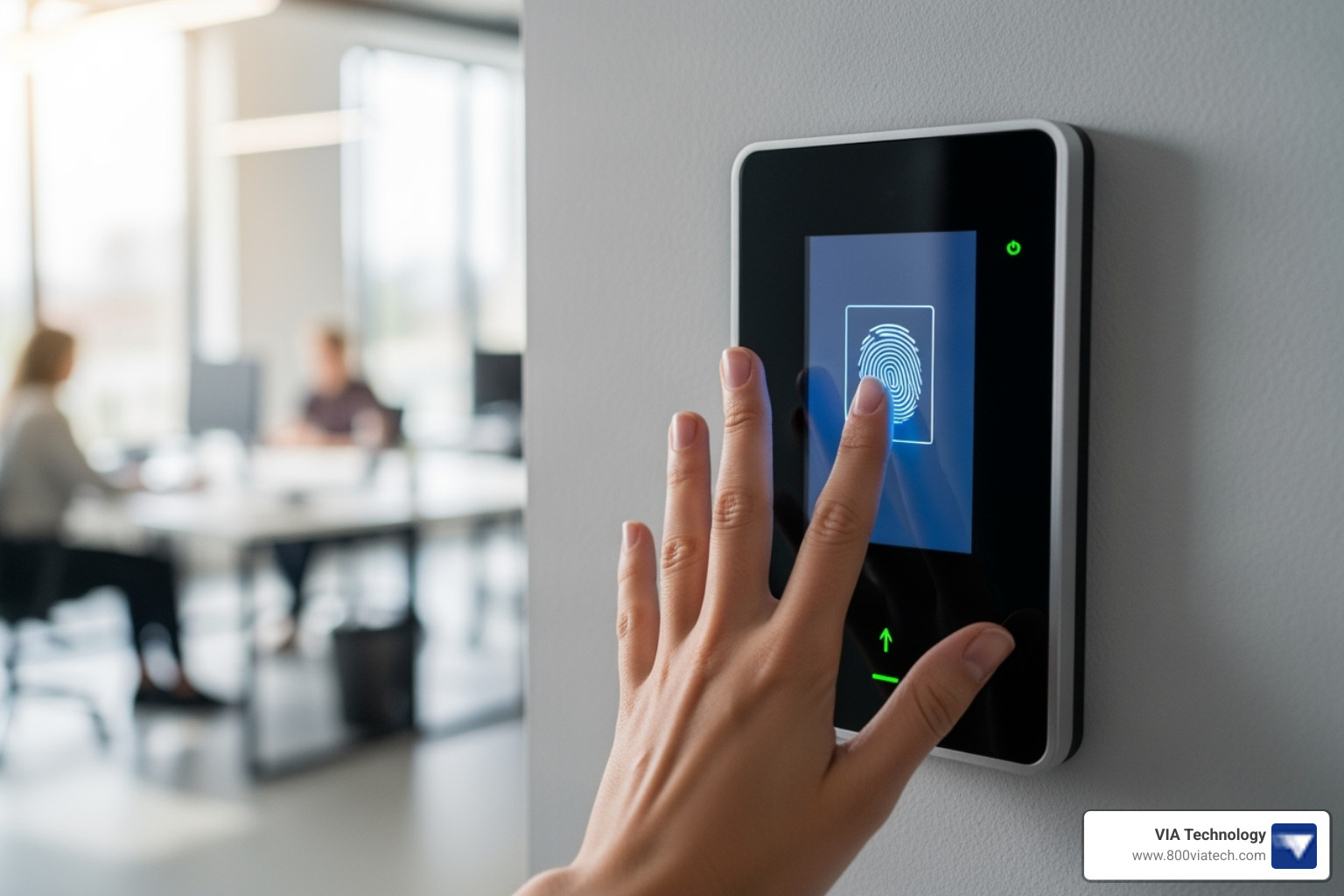
If you're looking for a quick overview of biometric access control system installation, here are the key steps:
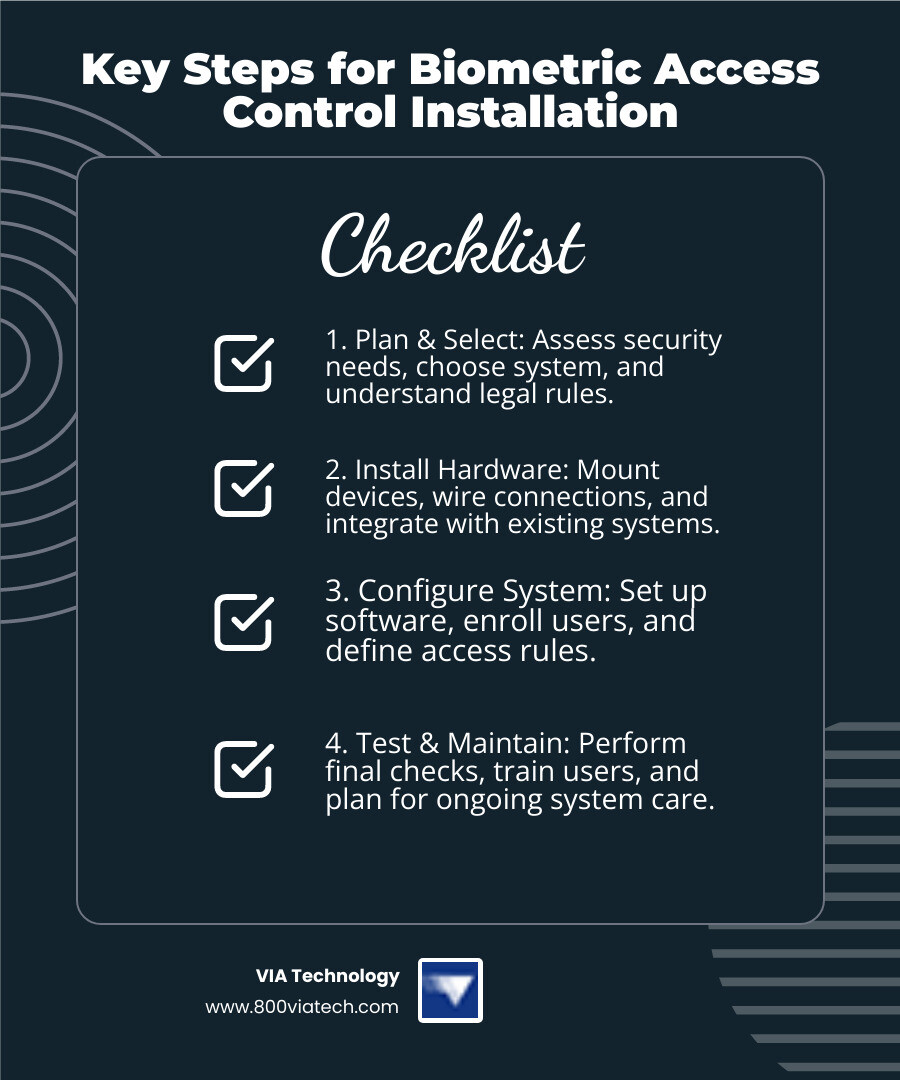
- Plan & Select: Assess your security needs, choose the right biometric system, and understand legal rules.
- Install Hardware: Mount devices, wire connections, and integrate with existing systems.
- Configure System: Set up software, enroll users, and define access rules.
- Test & Maintain: Perform final checks, train users, and plan for ongoing system care.
In today's fast-changing security world, businesses need strong ways to protect their spaces. Old keys or swipe cards can be lost or copied. This is where biometric access control system installation comes in. It uses unique traits like fingerprints or faces to grant access. This makes your facility much safer.
Biometric systems offer clear advantages. They boost security because unique body traits are hard to fake. They're also super convenient, meaning no more lost cards or forgotten PINs. Plus, they keep perfect records of who enters and leaves, giving you reliable data. This technology is quickly becoming the standard for modern businesses.
I'm Manuel Villa. Over my career, I've played a key role in numerous IT projects focusing on low-voltage cabling, video surveillance, and biometric access control system installation for businesses. My experience includes significant IT projects for the City of San Antonio and University Health Systems, ensuring reliable and cost-effective security solutions.
Step 1: Pre-Installation Planning and System Selection
This foundational step ensures your system meets your security, budget, and legal requirements before any hardware is purchased. Think of it as laying the blueprints for your security fortress!
Assessing Your Security Needs and Site
Before we even think about mounting a single device, we need to understand exactly what you're trying to protect and from whom. This begins with a thorough site survey that maps out every access point on your property.
During our vulnerability assessment, we'll walk through your facility together to identify which doors truly need biometric control. Are there high-security zones like server rooms, data centers, or inventory storage areas that demand the highest level of scrutiny? These areas often become the foundation of your biometric strategy.
User capacity planning is another crucial piece of the puzzle. How many employees, contractors, or authorized personnel will be using this system daily? Some biometric units support hundreds of users, while others can scale to tens of thousands with cloud storage. Getting this right from the start prevents bottlenecks and ensures smooth daily operations.
Here's where many businesses stumble: environmental factors are often overlooked but are absolutely crucial for reliable performance. Is your biometric access control system installation happening outdoors on a construction site, where dust, extreme temperatures, or direct sunlight could interfere with the scanner? We'll assess these conditions carefully to recommend weather-rated models or protective housings. For instance, direct sunlight can significantly impact facial recognition, while moisture or extreme cold can affect fingerprint scanners.
Finally, we'll map out your access levels in detail. Who needs access to which areas, and during what hours? A robust system allows for granular control, ensuring that only authorized individuals can enter specific zones at designated times. This planning phase saves countless headaches later.
Choosing the Right Type of Biometric System
The world of biometrics offers several fascinating options, each with its own strengths and ideal applications. Understanding these differences is key to choosing the best fit for your business.
| Biometric Modality | Accuracy | Cost | Best Use Case | Pros | Cons |
|---|---|---|---|---|---|
| Fingerprint Recognition | High (99.9%) | Moderate | High-traffic employee entry, timekeeping, general office access | Most popular, widely accepted, relatively inexpensive | Can be affected by dirt, moisture, cuts; physical contact required |
| Facial Recognition | Very High (AI-improved) | Moderate to High | Contactless entry, high-traffic areas, integrated with video surveillance | Contactless, fast, good for high throughput, AI improves spoofing detection | Affected by lighting, angles, masks, privacy concerns |
| Iris Scanners | Extremely High (200+ features) | High | High-security zones (data centers, labs), critical infrastructure | Most accurate, highly unique, contactless | Higher cost, user training may be needed for initial enrollment |
| Vein Scanners (Palm/Finger) | Very High | High | High-security, healthcare (hygiene), difficult to spoof | Internal biometrics (less susceptible to surface damage), contactless | Higher cost, less common |
Fingerprint recognition remains the most popular choice, accounting for over 50% of the market share, thanks to its balance of accuracy and cost-effectiveness. It's particularly well-suited for construction sites and industrial environments where workers are comfortable with hands-on technology.
However, facial recognition is growing rapidly in adoption, driven by its contactless nature and advancements in AI that improve spoofing detection and overall accuracy. Post-pandemic, many businesses prefer contactless solutions for obvious hygiene reasons.
For the highest security needs, such as protecting sensitive data in a server room, iris scanners or vein scanners offer unparalleled precision. These systems read internal biometric features that are nearly impossible to replicate or damage.
The contact versus contactless decision often comes down to your work environment and user preferences. Multi-factor authentication, combining a biometric scan with a card or PIN, offers an additional layer of security for the most sensitive areas in your facility.
Understanding Legal Compliance and Cost Considerations
Navigating the legal landscape around biometric data is a critical part of our planning process. Laws like GDPR in Europe and various state laws in the U.S. (including Illinois, Washington, and potentially Texas) govern how biometric data can be collected, stored, and used.
User consent is paramount, and we ensure your system adheres to all applicable privacy regulations. The good news? Modern systems don't store raw images of biometric data but rather encrypted digital templates, providing an added layer of security and privacy protection.
We also consider government standards, such as the Homeland Security Presidential Directive 12, which emphasizes secure identification for federal employees and contractors. This standard showcases how biometrics is uniquely positioned to meet the highest security requirements.
Understanding the general cost considerations helps you budget effectively. This includes the hardware costs (readers, panels, locks), software licensing, the labor for your biometric access control system installation, and ongoing maintenance fees.
While initial investments might seem higher than traditional card-based systems, the long-term benefits in security, efficiency, and reduced administrative burden often lead to a strong return on investment. You'll eliminate the ongoing costs of replacing lost cards and the security risks they create.
For more information on how we can help secure your business with a professional installation, explore our Security Services. Our team handles everything from initial planning through long-term support, ensuring your investment delivers maximum value.
Step 2: The Step-by-Step Biometric Access Control System Installation
This section covers the core hands-on process of physically setting up your new security system. This is where all your careful planning transforms into real, working security infrastructure.
Gathering Essential Hardware and Software Components
Think of this phase like gathering ingredients for a complex recipe – you need every component ready before you start cooking. A successful biometric access control system installation depends on having all the right pieces working together seamlessly.
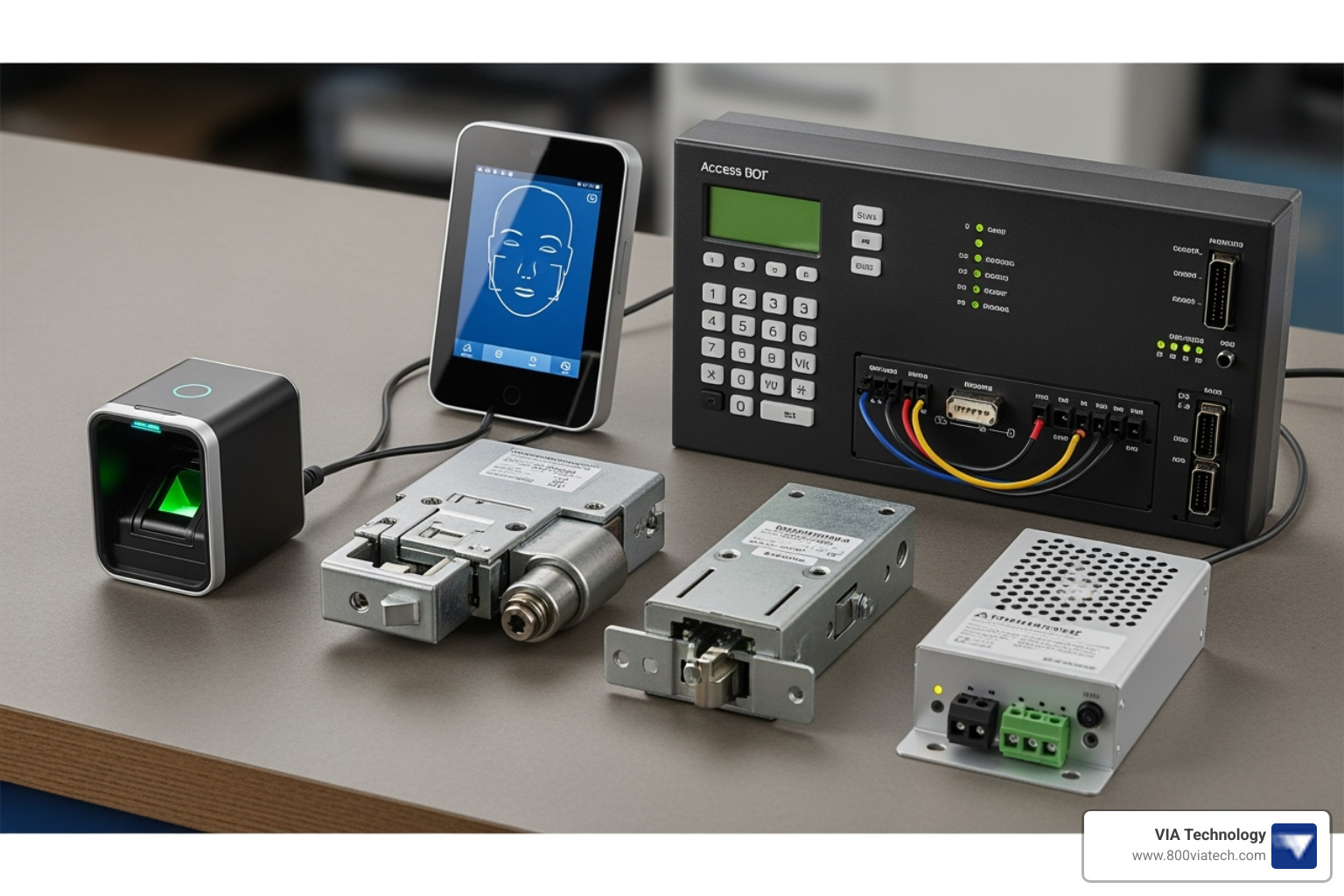
The heart of your system starts with the biometric readers themselves – whether they're scanning fingerprints, faces, or irises. But these readers are just the beginning. They connect to access control panels, which act like the brain of your security system, making split-second decisions about who gets in and who doesn't.
Your doors need smart locks too. We typically choose between electric strikes (which replace the metal plate in your door frame) and electromagnetic locks or maglocks (which use powerful magnets to keep doors shut). The choice depends on your door type and how secure you need things to be.
Power is absolutely critical – nothing works without it. We use dedicated power supplies providing 12VDC or 24VDC, or sometimes Power over Ethernet (PoE) for simpler installations. Exit devices like push bars or motion detectors ensure people can always get out safely, which is crucial for fire safety regulations.
The cabling is like the nervous system of your setup. We use various types for data transmission – traditional Wiegand or the newer OSDP protocol, which offers better security and two-way communication. Our expertise in Networking Systems ensures your connections are rock-solid and reliable.
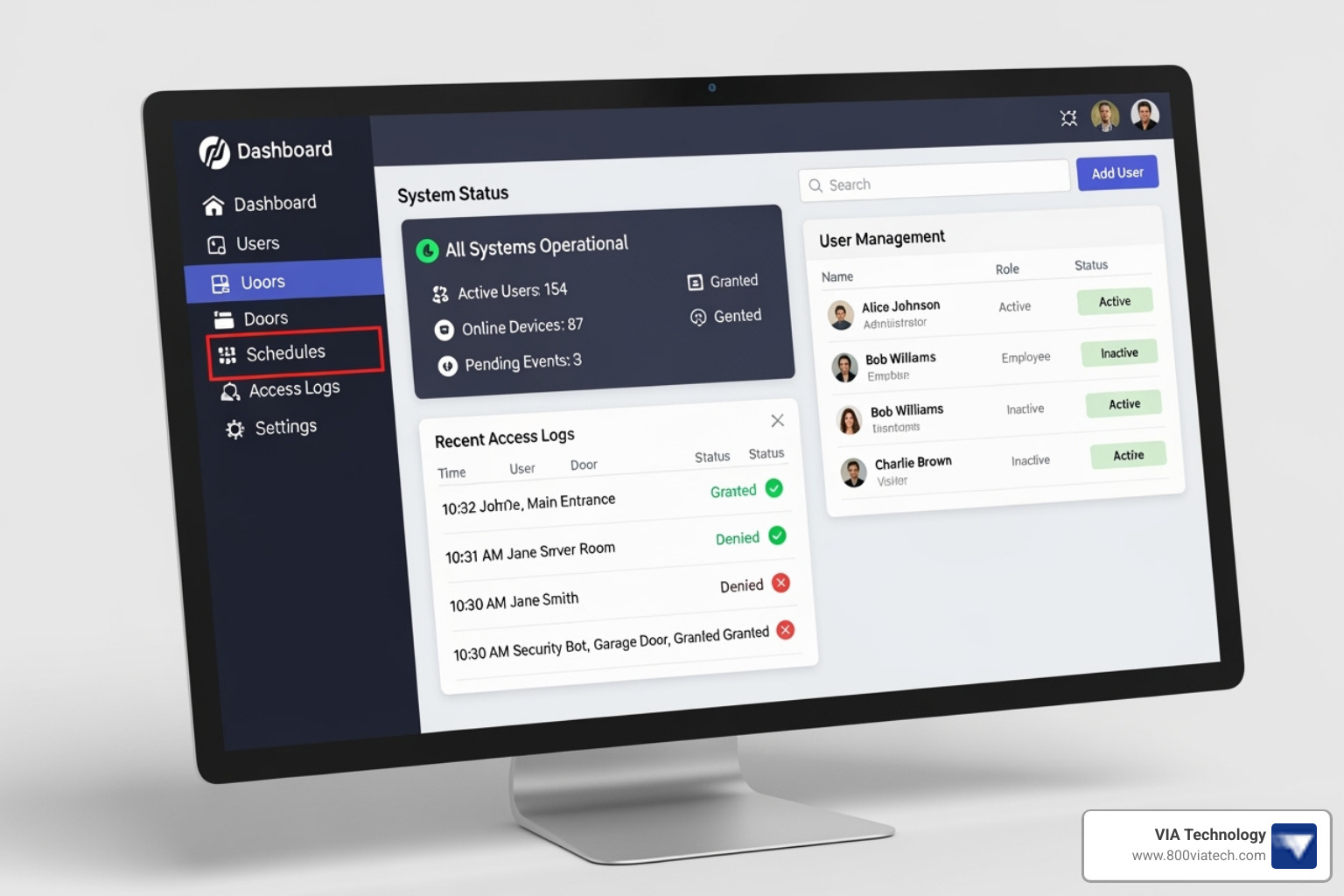
Finally, you need access control management software – this is your command center where you'll set up users, manage permissions, and monitor who's coming and going. It can run on your computers or in the cloud for remote access.
A Guide to the Physical Biometric Access Control System Installation
Now comes the fun part – actually mounting and connecting everything. This is where precision really matters, because a poorly installed system will give you headaches for years to come.
Getting the mounting right is crucial for user experience. For fingerprint scanners, we mount them at a comfortable chest level, usually around 4 to 5 feet off the ground. Facial recognition and iris scanners need to be at eye level to capture clear images. We always choose spots that are close to the door they control but protected from harsh weather conditions.
For outdoor installations, especially on construction sites, weather protection becomes critical. We use weather-rated units with proper IP ratings and often add protective enclosures. Direct sunlight can mess with facial recognition systems, while moisture and extreme temperatures can throw off fingerprint scanners.
The wiring process is where our low-voltage cabling experience really shines. We carefully run cables from each biometric reader to the access control panel, carrying both power and data. The panel then connects to your electric locks and their power supplies. Every single wire gets properly terminated, tested, and labeled – trust me, you'll thank us later when maintenance is needed.
We always test everything twice before powering up. Checking for proper voltage and continuity prevents those frustrating "why isn't this working?" moments that can derail an entire project.
Integrating with Your Existing Security Infrastructure
Here's where things get really exciting. Your new biometric system shouldn't exist in isolation – it should work harmoniously with everything else protecting your facility.
We specialize in connecting your biometric readers and control panels to your broader security network. One of the most powerful integrations is with Video Surveillance Security Cameras. When someone uses the biometric scanner, the system automatically logs the event and can trigger cameras to record. This gives you both the digital record and visual proof of who accessed what and when.
Linking with alarm and fire safety systems creates a truly intelligent security ecosystem. If there's a fire alarm, your biometric system can automatically open up doors to help people evacuate safely. On the flip side, if someone tries to break in, the system can trigger alarms and immediately alert your security team.
This unified approach means faster response times, better security coverage, and a complete picture of what's happening at your facility. Instead of juggling multiple separate systems, you get one comprehensive view that actually makes your job easier.
Step 3: System Configuration and User Management
Alright, team! Once your shiny new hardware is all set up, the real magic begins. This is where we shift our focus from wires and mounts to the smart software that makes your system tick. Think of it as teaching your new security system exactly who's who and where they're allowed to go. This is truly where your security rules come to life!
Configuring the Biometric Reader and Management Software
With the physical biometric access control system installation complete, it’s time to bring the "brains" online. We connect to your access control panel, usually through its own network address, to start the initial setup.
One of the first things we do is update the system's firmware. This is like giving it the latest software updates on your phone – it keeps everything running smoothly and securely. And speaking of security, we immediately swap out any default administrator logins for strong, unique passwords. This is a fundamental step to protect your system right from the start. Inside the software, we'll then map out each door, setting up specific access schedules. You might want to allow general access to the main office during business hours but restrict entry to, say, the secure equipment storage area only to specific managers after hours.
A really important part of this setup is fine-tuning the reader's sensitivity. We're balancing two key things here: how likely the system is to accidentally let an unauthorized person in (that’s the False Acceptance Rate, or FAR) versus how often it might temporarily deny a legitimate user (that’s the False Rejection Rate, or FRR). Our goal is to find that sweet spot that gives you excellent security without becoming a hassle for your team. We adjust this based on what you need most for your specific business.
Best Practices for Enrolling Users and Setting Permissions for your biometric access control system installation
Now for the people part! The user enrollment process is where we capture each person's unique biometric data. But don't worry, the system doesn't store a picture of their fingerprint or face. Instead, it converts that data into a super secure, encrypted digital template. This template is what the system uses for verification.
When we're enrolling users for fingerprint systems, we'll guide them to provide clear, consistent scans. We often enroll a couple of different fingers, just in case one gets a little cut or dirty on the job. For facial recognition, we make sure the lighting is just right and the person is at the optimal distance. We'll also suggest they take off hats or glasses during this initial capture to get the best possible data, and we'll grab a few different angles to ensure top-notch recognition later on.
Once enrolled, we make managing your team super easy by assigning users to groups. For example, all your "Construction Managers" can belong to one group, giving them specific access rights to job sites, equipment storage, or even the server room. Then, we set up very detailed access levels: who can go where, and at what times. This might include time-based restrictions, allowing access only during specific shifts or days of the week. And because life happens, we always make sure to enroll backup credentials like PINs or access cards. That way, if someone has a temporary issue with their biometric (like a bandaged finger), or if there's an emergency, they can still get where they need to be.
Step 4: Post-Installation Testing, Maintenance, and Advanced Features
The final phase ensures your system runs smoothly and remains effective for years to come. Think of it as the ongoing health and wellness plan for your new security system.
Final System Testing and User Training
After all components are installed and configured, rigorous testing is paramount. We systematically verify access attempts, testing with both authorized and unauthorized personnel to ensure the system responds correctly. This includes testing backup credentials (PINs or cards) to confirm they function as intended. We carefully check event logs to ensure that all access attempts, grants, and denials are accurately recorded, providing a clear audit trail.
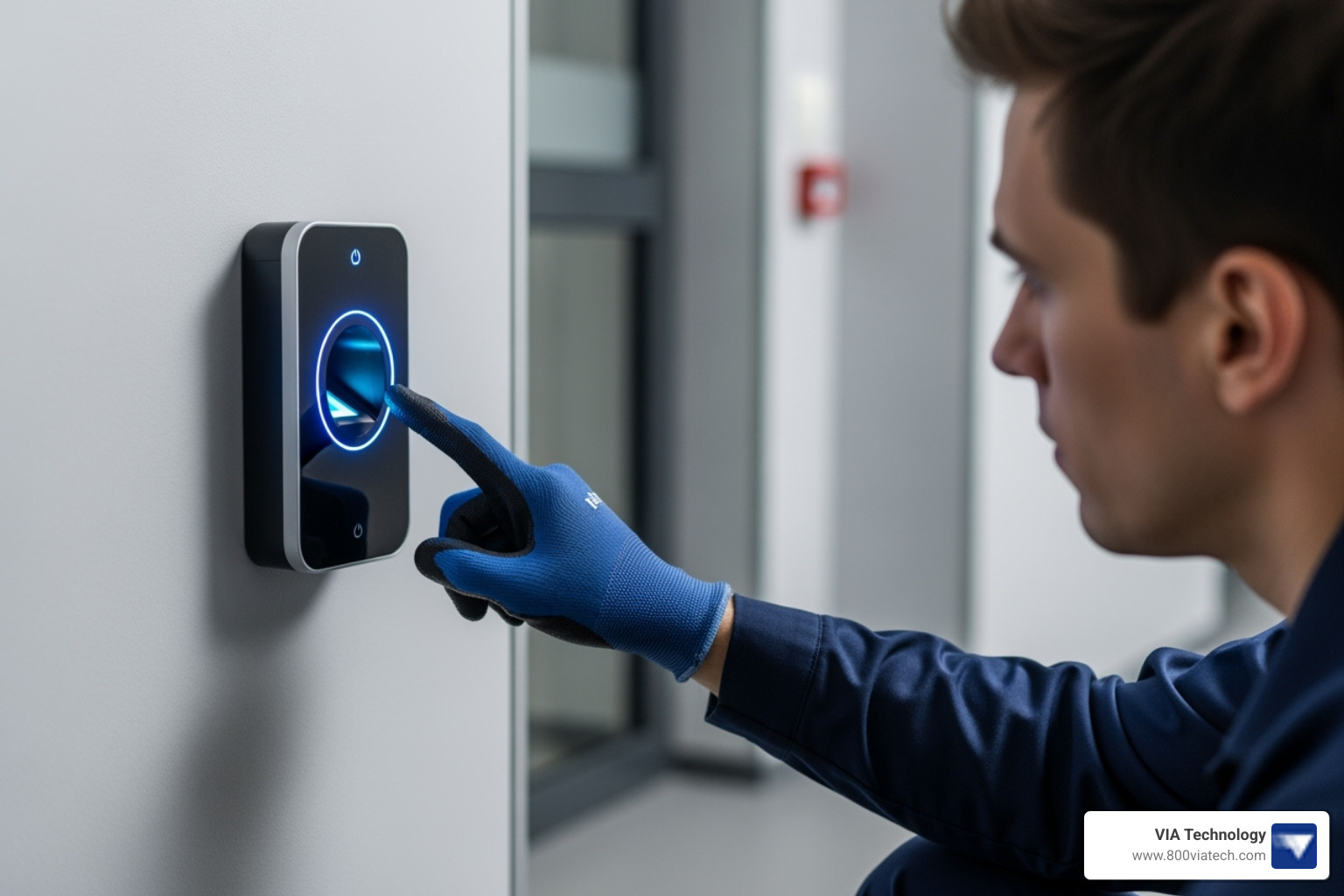
User training is just as important as technical testing. We train your staff on the proper way to use the biometric scanners, ensuring smooth and efficient entry. We also establish clear procedures for emergency entry and exit, making sure everyone knows what to do in critical situations, whether it's a fire alarm or a power outage.
Ongoing Maintenance and The Role of AI
Like any advanced technology, biometric systems require ongoing maintenance to perform optimally. This includes a regular maintenance schedule: cleaning optical sensors on fingerprint readers weekly, performing software updates quarterly, and re-enrolling users if significant physical changes occur (though modern AI-driven systems are increasingly adaptive). We also help you troubleshoot common issues like failed biometric authentication, connectivity problems, or power failures.
The role of AI in biometric access control is rapidly expanding. AI algorithms are significantly improving the accuracy of biometric systems and enhancing spoofing detection, making it much harder for unauthorized individuals to fool the system. AI also enables behavioral biometrics, analyzing user interaction patterns, and anomaly detection, flagging unusual access patterns that could indicate a security breach. This continuous learning and adaptation are revolutionizing facilities management, as detailed in our article How the Internet of Things is Revolutionizing Facilities Management.
When to Call a Professional for Installation
While some basic access control systems might seem DIY-friendly, the complexity of a biometric access control system installation often warrants professional expertise.
We recommend calling in the pros for:
- Complex Integrations: If you need your biometric system to seamlessly integrate with existing CCTV, alarm systems, or building management systems, a professional integrator ensures all components communicate effectively.
- Multi-Site Deployments: For businesses with multiple locations, standardizing installation and ensuring consistent security across all sites requires expert coordination.
- Ensuring Legal Compliance: Navigating the evolving landscape of biometric data privacy laws can be tricky. Professionals stay up-to-date on regulations and ensure your system is compliant.
- Lack of In-House Technical Expertise: If your team isn't familiar with low-voltage wiring, network configurations, or complex software setup, professional installation prevents costly errors and ensures optimal performance.
The trend towards professional setups is evident in the market; for example, European biometrics spending growth shows a clear trend towards professional installations to ensure compliance and robust security. Partnering with an experienced integrator ensures a smooth, compliant, and highly effective biometric access control system installation.
Frequently Asked Questions about Biometric Access Control
Got questions about bringing biometric security to your business? Great! We hear these a lot, especially from our clients in the construction industry looking for reliable, tough security solutions. Let's clear up some common curiosities.
Can biometric readers be used on outdoor construction sites?
Absolutely! This is a fantastic question, especially for construction sites where conditions can be tough. The short answer is yes, biometric access control system installation can be done outdoors.
However, it's super important to choose the right equipment. We recommend selecting weather-rated (IP-rated) models. These are built to withstand the elements. We also install them with strong protective housing to shield them from direct sunlight, heavy rain, and dust.
For those really harsh environments, like a dusty, windy job site, facial recognition or iris scanners can actually be more reliable than fingerprint readers. Why? Because they are contactless. This means dirty or gloved hands won't interfere with the scan. They also tend to perform better in challenging conditions where fingerprints might be hard to read.
What happens if the power goes out at our facility?
That's a smart question to ask! Power outages are a real concern, and a professional biometric access control system installation always plans for them.
Rest assured, a well-designed system will include a battery backup or an Uninterruptible Power Supply (UPS). This ensures your security system keeps running smoothly, even if the lights go out.
The door locks themselves are also configured for safety and security during an outage. They can be set up in one of two ways:
- "Fail-safe": These locks will open up when power is lost. This is usually for exits, like fire doors, to ensure people can always get out safely in an emergency.
- "Fail-secure": These locks will remain locked when power is lost. This is for high-security areas where you absolutely need to prevent access, even without power.
The choice between "fail-safe" and "fail-secure" depends on fire code regulations and the specific security needs of each door in your facility. We make sure your system meets all safety and security requirements, even when the power goes out.
How is sensitive biometric data stored securely?
This is a vital question, and it touches on privacy. Many people worry about their fingerprints or faces being stored. Here's the good news: modern biometric systems do not store actual images of your fingerprints or faces.
Instead, when you enroll, the system converts your unique biometric data into an encrypted digital template. Think of it like a highly secure, coded mathematical representation. This template is then stored securely, often with very strong encryption.
It's crucial to use systems that provide robust, end-to-end encryption for both storing and transmitting this data. This, combined with secure networks, protects your sensitive information from unauthorized access. Your privacy and security are a top priority for any professional biometric access control system installation.
Secure Your Facility with a Professional Installation
Well, there you have it! We've walked through the entire journey of a biometric access control system installation, from those crucial first steps of planning and system selection, all the way through hands-on setup, clever configuration, and even looking ahead to long-term maintenance. It's clear that getting this right isn't just about bolting hardware to a wall; it's about meticulous planning, choosing the perfect components, and expert configuration that truly brings your security vision to life.
When done properly, a biometric system doesn't just offer security; it brings unparalleled operational efficiency and a level of peace of mind that traditional keys simply can't match. Imagine knowing exactly who is where, when, and having crystal-clear audit trails at your fingertips.
Now, for those complex projects, especially if you're dealing with the unique challenges of a busy construction site or a multi-site business, trying to DIY your security can quickly turn into a headache. That's where a seasoned partner like VIA Technology steps in. We're here to ensure your biometric access control system installation is seamless, from the initial design conversations to ongoing, reliable support for years to come. Our dedicated team, right here in San Antonio and serving businesses across Texas, understands the ins and outs of robust, future-proof security solutions.
Ready to lift your facility's security and streamline your operations? Don't let the complexities hold you back. We'd love to chat about your unique needs. Learn more about our comprehensive Access Control solutions and schedule a consultation with us today. Let's build a safer, smarter future for your business, together!

